How it works
Upload, check, call. That is the whole loop.
Billdial does the reading and the math. You keep control: it never logs into your accounts, never contacts a provider, and never changes a plan for you.
How it works
Three steps. No account logins.
Upload your bills
Snap a photo of the paper bill or drop the PDF from your provider's site. Billdial detects the category and the provider on its own, and masks the account number the moment it reads it.
6 categories: power, gas, water, internet, phone, insurance
- 1
Upload or snap
- A PDF from your provider's website reads best. A flat, well-lit photo works too.
- Billdial detects the category (power, gas, water, internet, phone, insurance) and the provider.
- Account numbers are masked to the last four digits the moment the bill is read.
- The file is read in memory and never stored. The audit is what we keep.
- 2
Every line, checked
- Each charge gets a verdict: OK, Check, or Overcharge, with a reason in plain words.
- Promo end notices, duplicate fees, rentals, unused add-ons, and plans above your usage are the usual finds.
- Savings are estimated from the bill's own numbers, annualized, with the assumptions stated.
- Cheaper plans count only when the bill lists them or you paste an offer.
- 3
Read, call, log
- A call script in your voice that names your account by its last four digits.
- Home and Household add an email draft and a list of questions.
- Make the call yourself. Flip Mark as done, type what you saved, and your dial moves.
- Next month, add the new bill. Tracking compares it with the last one and alerts you on a jump.
What goes in
Three sample bills, as they arrive.
Fictional providers, fictional households, the kinds of lines we see every day. Each one is in the live demo, where you can open the exact PDF the audit reads.
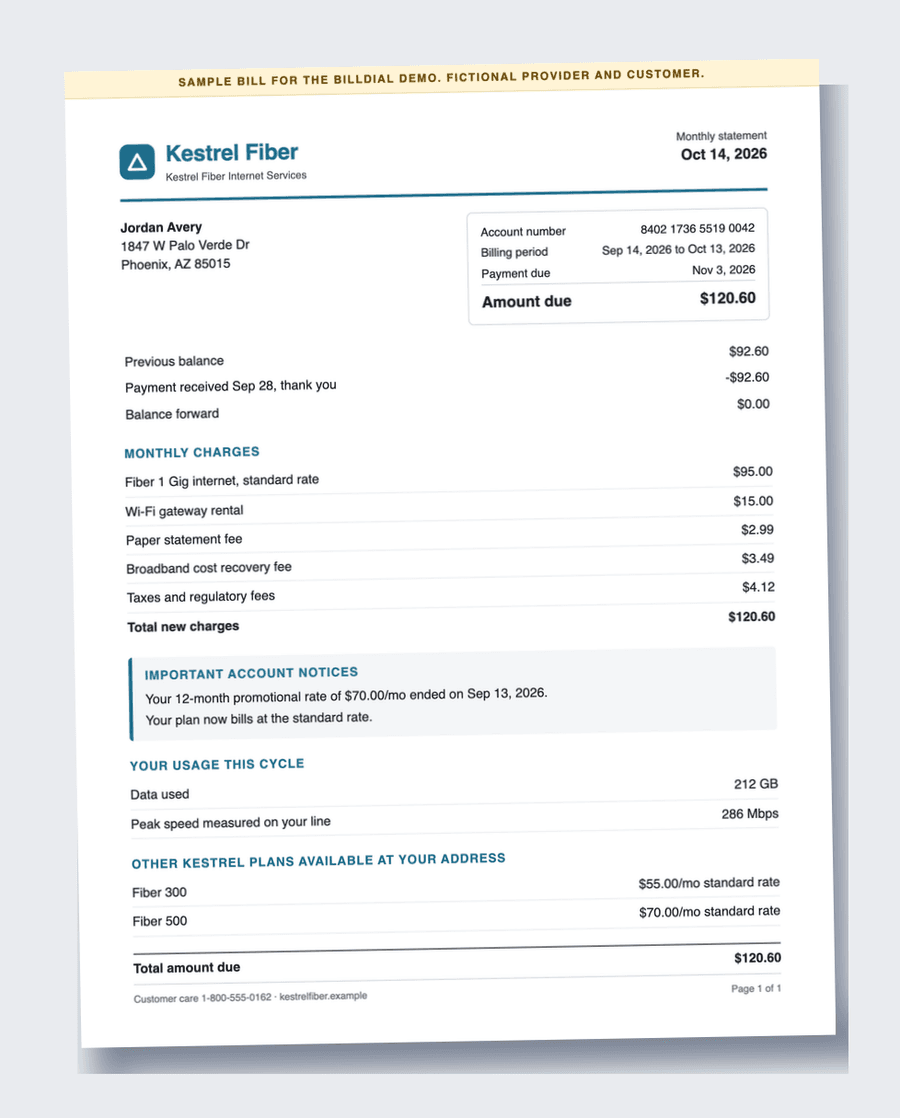
Internet: a promo that ended
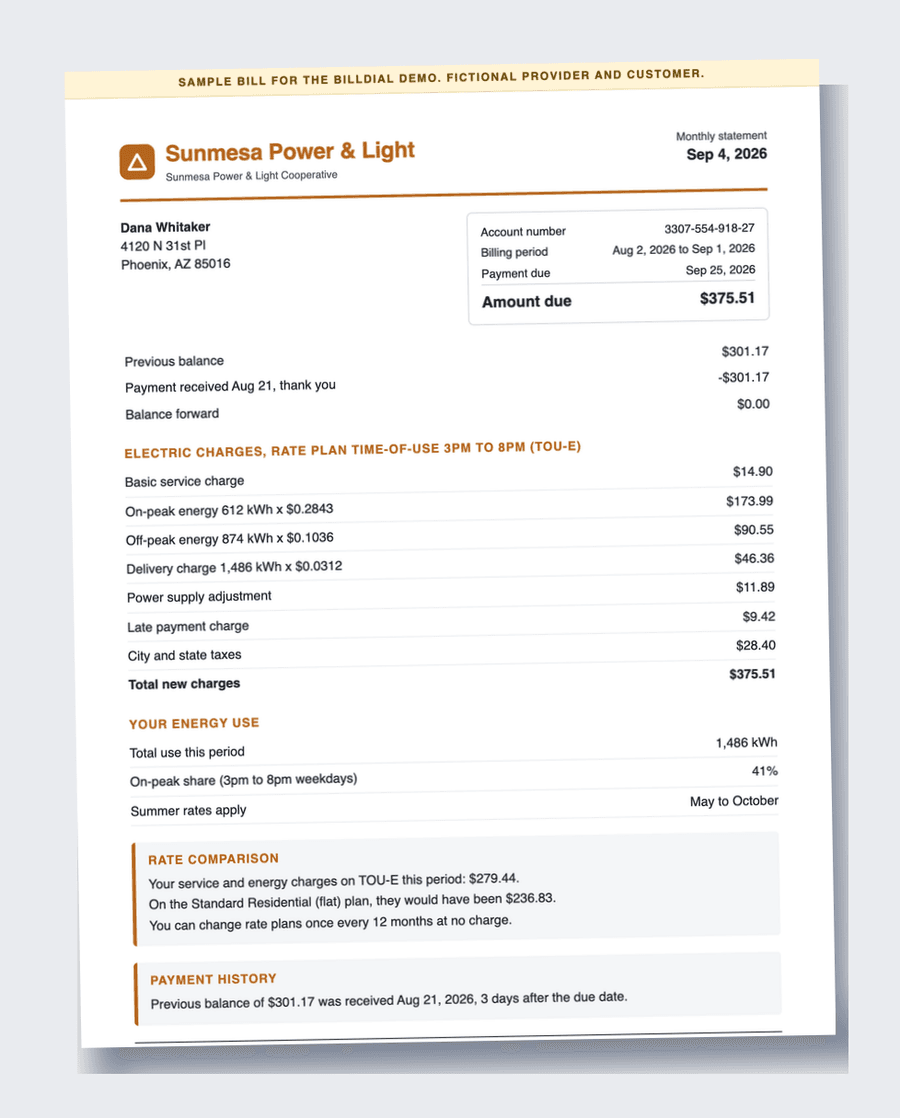
Electricity: a costly rate plan
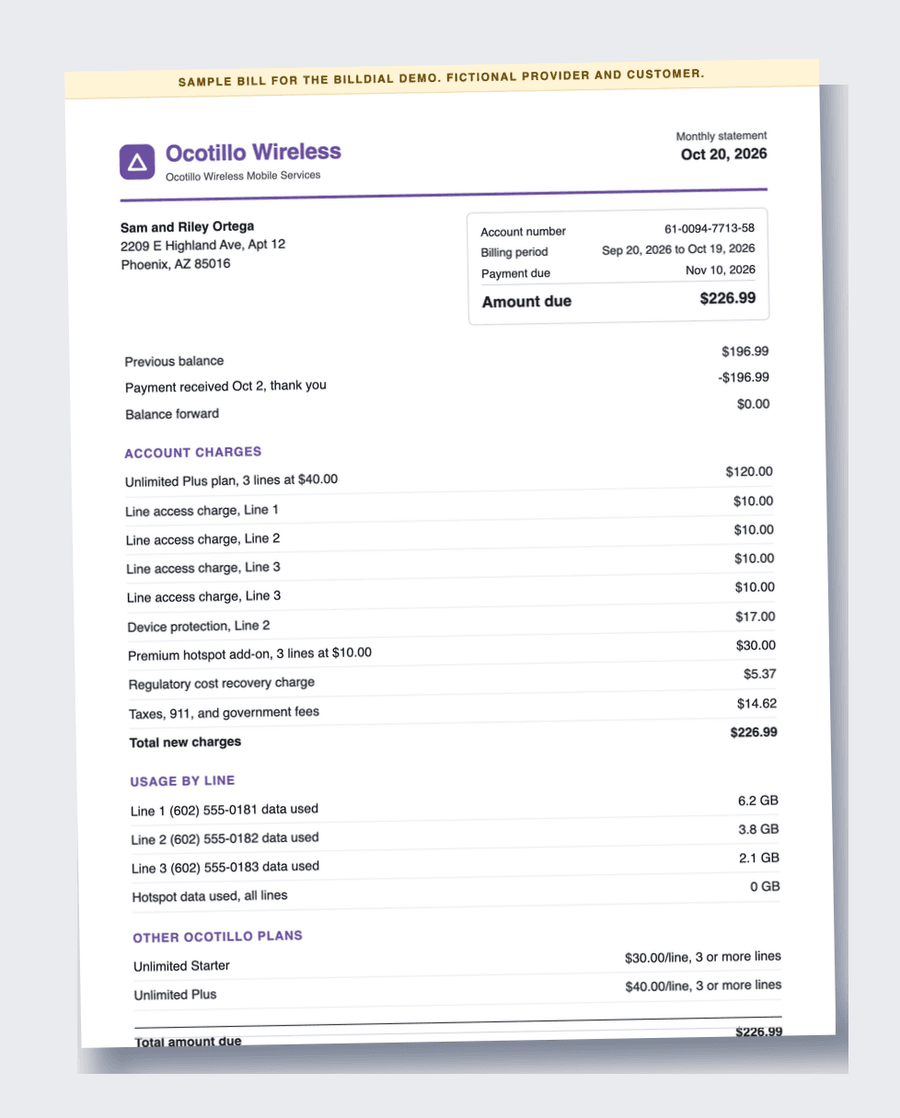
Phone: a fee billed twice
See it on a real-looking bill first.
Three sample bills, no login, the same audit as the app.